
3. Advanced PHP Features
In this chapter, we will explore some of the advanced features of PHP, including arrays, strings and regular expressions, file system management, HTTP and forms, cookies and sessions. These are essential tools for building complex and dynamic web applications, and mastering them will take your PHP skills to the next level.
Arrays
Arrays are a powerful data structure in PHP that allow you to store and manage collections of data. In this section, we will explore different types of arrays, including indexed arrays, associative arrays, and multidimensional arrays, and learn how to manipulate and sort arrays using various functions.
Arrays are one of the most fundamental data structures in PHP, and they provide a way to store and manage a collection of values.
An array can store values of any data type, including numbers, strings, objects, and even other arrays. They can be used to represent lists, tables, and more complex data structures.
There are two ways to create an array in PHP:
Using the array keyword:
<?php

$fruits = array("apple", "banana", "orange");
Using square brackets [ ]:
<?php

$fruits = ["apple", "banana", "orange"];
Accessing values in an array is done using the index of the value, which starts from 0 for the first value and goes up to the last value.
For example:
<?php

echo $fruits[0]; // outputs "apple"
Arrays can also be multi-dimensional, meaning that they can store arrays as values.
Here is an example of a two-dimensional array:
<?php

$frutis = array(
	array("apple", "red"),
	array("banana", "yellow"),
	array("orange", "orange"),
);

echo $frutis[0][0]; // outputs "apple"
echo $frutis[0][1]; // outputs "red"
In addition to accessing values, arrays also provide several built-in functions for manipulating and transforming the data they contain. Some of the most commonly used functions include:
- count - returns the number of elements in the array
- sort - sorts the elements in the array
- array_map - applies a callback function to each element of the array
- array_filter - filters the elements of the array based on a condition
- array_reduce - reduces the array to a single value by applying a callback function
Count
Here is an example of using the count function to find the number of elements in an array:
<?php

$fruits = ["apple", "banana", "orange"];

$num_of_fruits = count($fruits);

echo "The number of fruits in the array is: " . $num_of_fruits;
// outputs "The number of fruits in the array is: 3"
The count function takes an array as an argument and returns the number of elements in the array. In this example, the $num_of_fruits variable stores the result of calling count on the $fruits array.
Note that count can also be used on multi-dimensional arrays. In that case, it returns the number of elements in the top-level array:
<?php

$frutis = array(
	array("apple", "red"),
	array("banana", "yellow"),
	array("orange", "orange"),
);

$num_of_fruits = count($fruits);

echo "The number of fruits in the array is: " . $num_of_fruits;
// outputs "The number of fruits in the array is: 3"
In conclusion, count is a simple and convenient function for counting the number of elements in an array, and it can be used in a variety of applications.
Sort
Here is an example of using the sort function to sort an array:
<?php

$fruits = ["apple", "banana", "orange"];

sort($fruits);

foreach ($fruits as $fruit) {
	echo $fruit . "\n"
}

// Outputs:
// apple
// banana
// orange
The sort function sorts an array in ascending order by default.
In this example, the $fruits array is sorted and then printed using a foreach loop. The sort function changes the order of elements in the original array.
If you need to sort an array in descending order, you can use the rsort function instead:
<?php

$fruits = ["apple", "banana", "orange"];

rsort($fruits);

foreach ($fruits as $fruit) {
	echo $fruit . "\n"
}

// Outputs:
// orange
// banana
// apple
You can also sort arrays of associative arrays using the asort and arsort functions:
<?php

$frutis = array(
	array("apple", "red"),
	array("banana", "yellow"),
	array("orange", "orange"),
);

asort($fruits);

foreach ($fruits as $fruit => $color) {
	echo $fruit ." is " . $color . "\n"
}

// Outputs:
// apple is red
// banana is yellow
// orange is orange
In conclusion, the sort family of functions is a powerful tool for sorting arrays, and it can be used in a variety of applications. Whether you need to sort an array in ascending or descending order, or sort an associative array based on values, the sort family of functions provides a simple and convenient solution.
array_map
Here is an example of using the array_map function to square the elements of an array:
<?php

$numbers = [1, 2, 3, 4, 5];

$even_numbers = array_values(array_filter($numbers, function ($number) {
    return $number % 2 == 0;
}));

print_r($even_numbers);

// Output: Array ( [0] => 2 [1] => 4 [2] => 6 [3] => 8 [4] => 10 )
In conclusion, arrays are an essential data structure in PHP and provide a versatile and flexible way to store and manage collections of values. Understanding how to work with arrays is essential for developing PHP applications.
array_filter
Here's an example of using the array_filter function:
<?php

$numbers = [1, 2, 3, 4, 5, 6, 7, 8, 9, 10];

$even_numbers = array_filter($numbers, function ($number) {
	return $number % 2 == 0;
});

print_r($even_numbers);

// outputs Array ( [1] => 2 [3] => 4 [5] => 6 [7] => 8 [9] => 10 )
In this example, the array_filter function is used to filter an array of numbers to only include even numbers. The function takes two arguments: the array to be filtered and a callback function that returns a boolean value indicating whether an element should be included in the filtered array. In this case, the callback function checks if the number is divisible by 2 and returns true if it is, and false otherwise.
The filtered array is then printed using the print_r function, which displays the contents of the array in a human-readable format. The output shows that the filtered array only contains the even numbers from the original array.
In conclusion, the array_filter function is a useful tool for filtering arrays, and it can be used in a variety of applications. Whether you need to remove certain elements from an array based on some criteria, or extract a subset of an array, the array_filter function provides a simple and convenient solution.
array_reduce
Here's an example of using the array_reduce function:
<?php

$numbers = [1, 2, 3, 4, 5];

$sum = array_reduce($numbers, function ($carry, $item) {
    return $carry + $item;
}, 0);

echo $sum;

// Outputs: 15
In this example, the array_reduce function is used to calculate the sum of an array of numbers. The function takes three arguments: the array to be reduced, a callback function that performs the reduction, and an initial value.
The callback function takes two arguments: the $carry value, which is the result of the reduction so far, and the $item value, which is the current element in the array. In this case, the callback function adds the $carry value and the $item value together and returns the result.
The array_reduce function starts with the initial value, which is 0 in this case, and passes it as the $carry value to the first iteration of the callback function. The $carry value is then updated with the result of the reduction in each iteration, until all elements in the array have been processed.
The final result of the reduction is then stored in the $sum variable, which is printed using the echo statement.
In conclusion, the array_reduce function provides a flexible and powerful way to perform reductions on arrays. Whether you need to calculate the sum, product, or any other aggregate value of an array, the array_reduce function is a great tool to have in your toolbox.
Strings and Regular Expressions
PHP provides a rich set of string functions that make it easy to manipulate and work with strings. Additionally, regular expressions are a powerful tool for pattern matching and string manipulation, and PHP provides a range of functions for working with regular expressions.
In PHP, strings are sequences of characters used to represent text. Regular expressions are a way of defining patterns in strings that can be used to match, search, and manipulate text.
Here are some common tasks you can perform with strings and regular expressions in PHP:
- Searching for substrings: You can use the strpos function to search for a substring within a string, or the preg_match function to search for a pattern in a string using a regular expression.
- Replacing substrings: You can use the str_replace function to replace all occurrences of a substring within a string, or the preg_replace function to replace all occurrences of a pattern in a string using a regular expression.
- Splitting strings: You can use the explode function to split a string into an array based on a delimiter, or the preg_split function to split a string into an array based on a pattern using a regular expression.
- Validating strings: You can use regular expressions to validate that a string matches a certain pattern, such as a valid email address or a valid URL.
Here is an example of using a regular expression to validate an email address:
<?php

$email = "user@example.com";

if (preg_match("/^[a-zA-Z0-9._%+-]+@[a-zA-Z0-9.-]+\.[a-zA-Z]{2,}$/", $email)) {
    echo "Valid email address";
} else {
    echo "Invalid email address";
}

// Outputs: Valid email address
In this example,
The preg_match function is used to validate an email address. The first argument is a regular expression that defines the pattern of a valid email address, which includes a sequence of characters, followed by an @ symbol, followed by a sequence of characters, followed by a dot, followed by two or more characters. The second argument is the string to be matched against the pattern.
If the string matches the pattern, the preg_match function returns 1 and the message "Valid email address" is printed. If the string does not match the pattern, the preg_match function returns 0 and the message "Invalid email address" is printed.
In conclusion, strings and regular expressions are essential tools in the PHP developer's toolbox. Whether you need to manipulate text, validate data, or search for patterns in strings, PHP provides a wide range of functions and techniques to help you get the job done.
File System Management
PHP provides a range of functions for working with the file system, including reading, writing, and deleting files, as well as managing directories. This is useful for building applications that need to store and manage files, such as file uploads and document management systems.
File System Management in PHP refers to the management of files and directories on a computer system using the PHP programming language. The PHP File System functions provide a simple way to interact with the file system and perform operations such as reading and writing files, creating and deleting directories, and more.
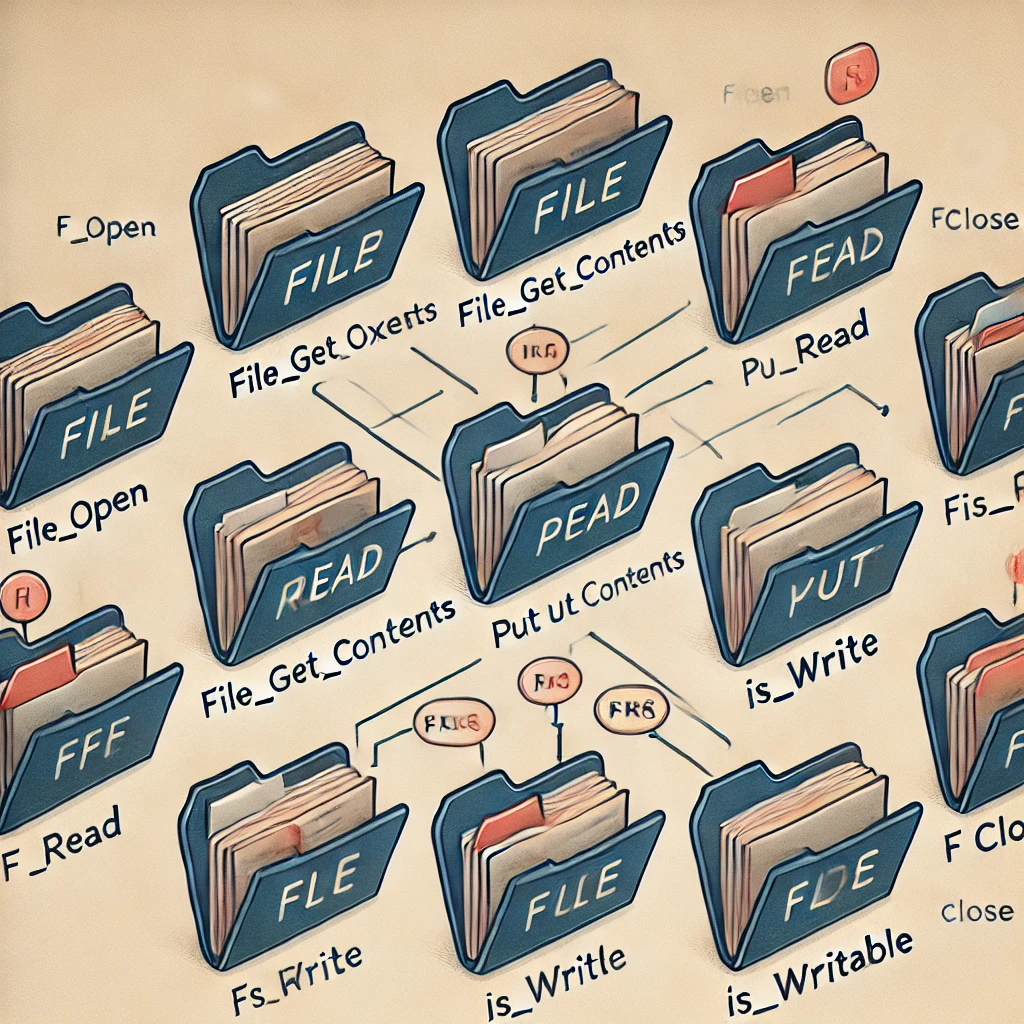
Here are some of the most commonly used file system functions in PHP:
- file_get_contents - This function reads the contents of a file into a string.
- file_put_contents - This function writes a string to a file.
- fopen - This function opens a file for reading or writing.
- fread - This function reads a specified number of bytes from an open file.
- fwrite - This function writes a string to an open file.
- fclose - This function closes an open file.
- file_exists - This function checks if a file exists.
- is_readable - This function checks if a file is readable.
- is_writable - This function checks if a file is writable.
- unlink - This function deletes a file.
- mkdir - This function creates a new directory.
- rmdir - This function deletes an empty directory.
Here's an example that demonstrates the use of some of these functions:
<?php

// Open a file for writing
$file = fopen("test.txt", "w");

if ($file) {
    // Write to the file
    fwrite($file, "Hello, world!");

    // Close the file
    fclose($file);

    // Check if the file exists
    if (file_exists("test.txt")) {
        echo "The file exists.\n";
    }

    // Check if the file is readable
    if (is_readable("test.txt")) {
        echo "The file is readable.\n";

        // Read the contents of the file into a string
        $contents = file_get_contents("test.txt");

        // Output the contents of the file
        echo "File contents: $contents\n";
    } else {
        echo "The file is not readable.\n";
    }

    // Delete the file
    if (unlink("test.txt")) {
        echo "The file has been deleted.\n";
    } else {
        echo "Failed to delete the file.\n";
    }
} else {
    echo "Failed to open the file for writing.\n";
}
This code will output:
The file exists.
The file is readable.
File contents: Hello, world!
The file has been deleted.
In this example,
We opened a file for writing using the fopen function, wrote to the file using the fwrite function, and then closed the file using the fclose function. We then used the file_exists function to check if the file exists, the is_readable function to check if the file is readable, and the file_get_contents function to read the contents of the file into a string. Finally, we used the unlink function to delete the file.
HTTP and Forms
HTTP is the foundation of the web, and PHP provides a range of functions for working with HTTP requests and responses. In this section, we will learn how to handle form submissions, parse GET and POST data, and manage file uploads.
In PHP, HTTP (Hypertext Transfer Protocol) is used to transfer data over the internet. When a user visits a website, they make an HTTP request to the server, and the server returns an HTTP response, which is usually an HTML page.
Forms are a way for users to interact with a website and submit data to the server. In PHP, forms are processed using the $_POST or $_GET superglobal arrays, depending on the method used to submit the form.
Here is an example of how to handle a form submission in PHP:
index.html
<html>
<head>
	<title>HTTP and Forms</title>
</head>
<body>

	<form action="form-processing.php" method="post">
		<label for="name">Name:</label>
		<input type="text" name="name" id="name" required>
		<br><br>
		<label for="email">Email:</label>
		<input type="email" name="email" id="email" required>
		<br><br>
		<input type="submit" value="Submit">
	</form>

</body>
</html>
form-processing.php
<?php
if ($_SERVER['REQUEST_METHOD'] === 'POST') {
    $name = $_POST['name'];
    $email = $_POST['email'];

    echo "Hello $name! Your email address is $email.";
}
?>
In this example,
The form is submitted using the POST method, which means that the data will be sent to the server in the body of the HTTP request. The $_SERVER['REQUEST_METHOD'] variable can be used to check whether the form was submitted and whether it was submitted using POST or GET.
image
Once the form is submitted, the data can be accessed in the $_POST array. In this example, the values for the name and email fields are retrieved from the $_POST array and used to display a message to the user.
image
File uploads
In PHP, file uploads are processed using the $_FILES superglobal array. To handle file uploads, you need to add an <input type="file"> field to your form, along with some additional attributes to control the behavior of the file upload.
Here is an example of how to handle a file upload in PHP:
index.html
<html>
<head>
	<title>File uploads</title>
</head>
<body>

	<form action="file-upload.php" method="post" enctype="multipart/form-data">
		<label for="file">File:</label>
		<input type="file" name="file" id="file" required>
		<br><br>
		<input type="submit" value="Upload">
	</form>

</body>
</html>
file-upload.php
<?php

if ($_SERVER['REQUEST_METHOD'] === 'POST') {
	$file = $_FILES['file'];

	// Check for errors
	if ($file['error'] !== UPLOAD_ERR_OK) {
		echo 'An error occurred during the file upload.';
		exit;
	}

	$upload_dir = 'uploads/';
	if (!is_dir($upload_dir)) {
		mkdir($upload_dir, 0777, true);  // Added permissions and recursive flag
	}

	// Sanitize file name to avoid any directory traversal issues
	$filename = basename($file['name']);
	$destination = $upload_dir . $filename;

	// Validate file type (you can adjust this to accept only specific file types)
	$allowed_types = ['image/jpeg', 'image/png', 'application/pdf'];  // Example: Allow images and PDFs
	if (!in_array($file['type'], $allowed_types)) {
		echo 'Invalid file type. Only JPG, PNG, and PDF files are allowed.';
		exit;
	}

	// Move the uploaded file to a permanent location
	if (!move_uploaded_file($file['tmp_name'], $destination)) {
		echo 'An error occurred while trying to move the uploaded file.';
		exit;
	}

	echo "The file was uploaded successfully!";
}
?>
In this example,
The enctype attribute is set to "multipart/form-data" to indicate that the form will contain file data. When the form is submitted, the file data will be stored in the $_FILES array, where you can access information about the uploaded file, such as its name, size, and MIME type.
image
It's important to check for errors when processing file uploads, as there are several things that can go wrong, such as a file that's too large, a file of an unsupported type, or a problem with the server's file system. In this example, the $file['error'] value is checked to ensure that the file upload was successful.
image
Once the file is uploaded, it needs to be moved from its temporary location to a permanent location on the server. In this example, the move_uploaded_file() function is used to move the file to an uploads/ directory.
Cookies and Sessions
Cookies and sessions are essential tools for building applications that need to track user data across multiple requests. In this section, we will explore how to use cookies and sessions to store user data, manage login systems, and maintain state across multiple requests.
Cookies and sessions are two different ways to store data in PHP. Cookies are saved on the client's side, while sessions are saved on the server. Cookies can store data for a specified amount of time, while sessions last until the user closes their browser or logs out.
Cookies can be used for a variety of purposes, such as remembering the user's preferences, tracking their activity on the website, and personalizing the user experience. Cookies are created using the setcookie function, which takes the name of the cookie, its value, and the time until it should expire.
Sessions are created using the session_start function, which must be called before any data is stored in the session. Session data is stored in the server's memory, so it can be accessed by any page on the website that has started a session. Session data can be stored in the same way as arrays, using the $_SESSION superglobal.
1. Storing data in a session
To store session data, you first start the session with session_start(), then set session variables.
<?php
// Start the session
session_start();

// Store session data
$_SESSION['username'] = 'John Doe';
$_SESSION['email'] = 'john.doe@example.com';

echo "Session data has been stored.";
?>
2. Retrieving data from a session
To retrieve the data stored in the session, you again start the session with session_start() and then access the session variables.
<?php
// Start the session
session_start();

// Retrieve session data
$username = $_SESSION['username'];
$email = $_SESSION['email'];

echo "Username: $username <br>";
echo "Email: $email";
?>
3. Deleting data from a session
You can delete session data either by unsetting specific session variables using unset() or by destroying the entire session with session_destroy().
a. Using unset() to remove specific session data:
<?php
// Start the session
session_start();

// Remove specific session data
unset($_SESSION['username']);  // Remove 'username' from the session

echo "Session variable 'username' has been removed.";
?>
b. Using session_destroy() to remove all session data:
<?php
// Start the session
session_start();

// Unset all session variables
session_unset();

// Destroy the session
session_destroy();

echo "All session data has been deleted.";
?>
In conclusion, cookies and sessions are two important tools for storing data in PHP. Cookies are useful for storing small amounts of data on the client's side, while sessions are better for storing more sensitive or larger amounts of data on the server's side.
Cookies
Cookies are small pieces of data that are stored on the client's side. They can be used for a variety of purposes, such as remembering the user's preferences, tracking their activity on the website, and personalizing the user experience.
Cookies are created using the setcookie function, which takes the name of the cookie, its value, and the time until it should expire. The following code creates a cookie with the name "user" and the value "John Doe", which will expire after one hour:
1. Creating a Cookie
To create a cookie, use the setcookie() function. You need to provide the name of the cookie, its value, and the expiration time (in seconds from the current time).
<?php
// Create a cookie with the name "user" and value "John Doe" that expires in 1 hour
setcookie("user", "John Doe", time() + 3600);  // Cookie expires in 1 hour (3600 seconds)

// Check if the cookie is set
if(isset($_COOKIE['user'])) {
    echo "Cookie 'user' is set. Value: " . $_COOKIE['user'];
} else {
    echo "Cookie 'user' is not set yet.";
}
?>
2. Retrieving the Cookie Value
You can retrieve the value of a cookie using the $_COOKIE superglobal.
<?php
// Check if the "user" cookie exists and retrieve its value
if(isset($_COOKIE['user'])) {
    $user = $_COOKIE['user'];
    echo "Hello, $user!";
} else {
    echo "No cookie found for 'user'.";
}
?>
3. Deleting a Cookie
To delete a cookie, set its expiration time to a past time (usually 1 hour ago) using setcookie().
<?php
// Delete the "user" cookie by setting its expiration time to 1 hour ago
setcookie("user", "", time() - 3600);  // Cookie expiration time is set to 1 hour in the past

// Check if the cookie is deleted
if(!isset($_COOKIE['user'])) {
    echo "Cookie 'user' has been deleted.";
} else {
    echo "Cookie 'user' is still available.";
}
?>
This sample code covers creating, retrieving, and deleting cookies, as well as handling the cookie's lifecycle effectively.
It's important to note that cookies are stored on the client's side, so their security can be compromised if the user's device is not secure. Sensitive information should not be stored in cookies.
In conclusion, cookies are a useful tool for storing small amounts of data on the client's side. They can be used to remember the user's preferences, track their activity, and personalize their experience, but they should not be used to store sensitive information.
Object-Oriented Programming (OOP)
Object-Oriented Programming (OOP) is a programming paradigm that allows developers to model real-world objects and their interactions in code. PHP supports OOP features, including classes, objects, inheritance, and polymorphism.
A class is a blueprint for creating objects. An object is an instance of a class. Classes can have properties (variables) and methods (functions) that define the behavior of objects. Inheritance allows a class to inherit properties and methods from a parent class, while polymorphism allows objects of different classes to be treated as objects of the same type.
Object-Oriented Programming (OOP) is a programming paradigm that focuses on the use of objects to solve problems. In OOP, objects are instances of classes, which are templates that define the properties and behavior of objects.
One of the main benefits of OOP is that it allows you to create reusable code that can be easily modified and extended. This reduces the amount of code that needs to be written and makes it easier to maintain and update the code in the future.
In PHP, you can create a class using the class keyword.
The following is an example of a simple class that defines a Person object:
<?php

class Person {
    public $name;
    public $age;

    public function __construct($name, $age) {
        $this->name = $name;
        $this->age = $age;
    }

    public function greet() {
        return "Hello, my name is " . $this->name . " and I am " . $this->age . " years old.";
    }
}
To create an object from a class, you can use the new keyword. The following code creates a Person object and calls it’s greet method:
<?php

$person = new Person("John Doe", 30);

echo $person->greet();
This will output:
"Hello, my name is John Doe and I am 30 years old."OOP in PHP also supports inheritance, which allows you to create a new class that inherits the properties and methods of an existing class. This allows you to create more specialized classes that can be used in different scenarios.
For example,
You can create a new class called Student that inherits from the Person class:
<?php

class Student extends Person {

    public $studentId;

    public function __construct($name, $age, $studentId) {
        parent::__construct($name, $age);
        $this->studentId = $studentId;
    }

    public function greet() {
        return parent::greet() . " I am a student with ID " . $this->studentId . ".";
    }
}
If you create a Student object and call the greet() method, the output will combine the greeting from the parent Person class and the additional student information.
Here's an example of how to use the classes:
<?php

// Assuming Person and Student classes are already defined

$student = new Student("John", 20, "S12345");
echo $student->greet();

?>
Output:
Hello, my name is John and I am 20 years old. I am a student with ID S12345.In conclusion, OOP is a powerful programming paradigm that allows you to create reusable and extensible code. By using objects and classes, you can better organize your code and create more specialized objects that can be used in different scenarios.
Working with Databases
PHP provides several extensions for working with databases, including MySQL, PostgreSQL, and SQLite. To interact with a database using PHP, you need to connect to the database using a database extension, issue SQL commands to the database using a database extension function, and retrieve the results of the SQL commands using another database extension function.
In this chapter, we will discuss the basics of working with databases in PHP.
A database is a structured collection of data that is stored and organized for efficient retrieval. There are various types of databases such as Relational Databases (RDBMS), NoSQL databases, etc.
PHP provides a number of extensions for working with databases. The most popular one is MySQLi (MySQL improved) and PDO (PHP Data Object). Both extensions allow you to interact with a database using PHP.
MySQLi provides a simple, procedural interface to interact with a MySQL database. On the other hand, PDO provides a more abstract, object-oriented interface that can be used to interact with multiple database management systems.
In order to connect to a database using either MySQLi or PDO, you need to specify the host, username, password, and database name.
Here is an example of connecting to a database using MySQLi:
<?php

$host       = "localhost";
$username   = "root";
$password   = "password";
$dbname     = "test_db";

// Create connection
$conn = mysqli_connect($host, $username, $password, $dbname);

// Check connection
if (!$conn) {
    die("Connection failed: " . mysqli_connect_error());
}
echo "Connected successfully";

// Example of executing a SELECT statement using MySQLi
$sql = "SELECT * FROM users";
$result = mysqli_query($conn, $sql);

if (mysqli_num_rows($result) > 0) {
    while ($row = mysqli_fetch_assoc($result)) {
        echo "id: " . $row["id"] . " - Name: " . $row['name'] . "<br>";
    }
} else {
    echo "0 results";
}

// Close the connection
mysqli_close($conn);

?>
And here is an example of connecting to a database using PDO:
<?php

$host       = "localhost";
$username   = "root";
$password   = "password";
$dbname     = "test_db";

// Create connection using PDO
try {
    $conn = new PDO("mysql:host=$host;dbname=$dbname", $username, $password);
    // Set the PDO error mode to exception
    $conn->setAttribute(PDO::ATTR_ERRMODE, PDO::ERRMODE_EXCEPTION);
    echo "Connected successfully";

    // Example of executing a SELECT statement using PDO
    $sql = "SELECT * FROM users";
    $stmt = $conn->query($sql);

    if ($stmt->rowCount() > 0) {
        while ($row = $stmt->fetch(PDO::FETCH_ASSOC)) {
            echo "id: " . $row["id"] . " - Name: " . $row['name'] . "<br>";
        }
    } else {
        echo "0 results";
    }

} catch(PDOException $e) {
    echo "Connection failed: " . $e->getMessage();
}

// Close the connection
$conn = null;

?>
Error and Exception Handling
Error and exception handling in PHP is a mechanism for dealing with runtime errors and exceptions that may occur in your code. PHP provides several functions and mechanisms for handling errors, including the "try-catch" construct for handling exceptions and the "error_reporting" function for controlling the level of error reporting.
Error and Exception handling are essential components of any application. In PHP, errors and exceptions can occur for many reasons, such as invalid user inputs, missing files, incorrect configuration, or problems with the database. It's important to handle these issues in a way that ensures the application continues to function correctly and that the end-user is informed of the problem.
PHP provides a range of functions and techniques to handle errors and exceptions, including the try and catch blocks, the throw statement, and custom error and exception handlers.
Here is an example of using the try and catch blocks:
<?php

// Example condition
$someCondition = true; // Set to true to simulate the error

try {
    // Code that may throw an exception
    if ($someCondition) {
        throw new Exception("An error occurred.");
    }
} catch (Exception $e) {
    // Code to handle the exception
    echo "Error: " . $e->getMessage();
}
In this example, the code inside the try block may throw an exception if the $someCondition evaluates to true. If an exception is thrown, the code inside the catch block is executed, and the error message is displayed.
To set a custom error handler, you can use the set_error_handler function:
<?php

function customErrorHandler($errno, $errstr, $errfile, $errline) {
    // Check if error reporting is enabled for this error level
    if (!(error_reporting() & $errno)) {
        return; // This error code is not included in error_reporting
    }

    // Display error details
    echo "Error: [$errno] $errstr in $errfile on line $errline\n";

    // Optional: return false to let PHP handle the error in the usual way
    return true;
}

// Set the custom error handler
set_error_handler("customErrorHandler");

// Example of triggering an error
echo $undefinedVar; // This will trigger a notice-level error

?>
In this example, the custom error handler function customErrorHandler is defined, and the set_error_handler function is used to set it as the error handler for the application. Now, any errors that occur in the application will be handled by this custom error handler.
By handling errors and exceptions properly, you can make your application more robust and user-friendly.
File Handling
File handling in PHP allows you to read from and write to files on the file system. PHP provides several functions for working with files, including the "fopen" function for opening a file, the "fread" function for reading from a file, the "fwrite" function for writing to a file, and the "fclose" function for closing a file.
In PHP, file handling refers to the process of reading from or writing to a file. This can be achieved using a variety of built-in functions, including fopen, fwrite, fread, fclose, and others.
To open a file for reading or writing, use the fopen function. This function takes two arguments: the name of the file and the mode.
For example, to open a file for reading, use the following code:
<?php

$file = fopen("example.txt", "r");
In this example, example.txt is the name of the file and "r" is the mode, which indicates that the file should be opened for reading.
To write to a file, use the fwrite function. This function takes two arguments: the file handle and the string to be written.
For example, to write to a file, use the following code
<?php

$file = fopen("example.txt", "w");

fwrite($file, "This is some text.");
In this example, $file is the file handle, and "This is some text." is the string to be written.
To read from a file, use the fread function. This function takes two arguments: the file handle and the number of bytes to be read.
For example, to read from a file, use the following code:
<?php

$file = fopen("example.txt", "r");

$content = fread($file, filesize("example.txt"));

echo $content;
In this example, $file is the file handle, filesize("example.txt") returns the size of the file in bytes, and $content is a string that contains the contents of the file.
Finally, when you're done working with a file, it's important to close it using the fclose function.
For example:
<?php

$file = fopen("example.txt", "r");

$content = fread($file, filesize("example.txt"));

fclose($file);
In this example, $file is the file handle and fclose($file) closes the file.
These are just a few of the many functions available for file handling in PHP. To learn more about file handling, refer to the official PHP documentation.
Working with Web Services
Web services allow applications to communicate with each other over the internet. PHP provides several extensions for working with web services, including SOAP and REST. To interact with a web service using PHP, you need to make a request to the web service using a PHP function and retrieve the response from the web service using another PHP function.
In this chapter, we will discuss working with web services using PHP. Web services are a way to communicate between different systems or applications over the internet. This enables applications to exchange data and interact with each other, regardless of the underlying technology used by each system.
SOAP (Simple Object Access Protocol)
PHP provides several ways to interact with web services, including cURL, SoapClient, and file_get_contents().
cURL: cURL is a library that allows you to make HTTP requests from your PHP code. With cURL, you can perform various operations, such as sending GET or POST requests, uploading files, or sending custom headers. To use cURL in your PHP code, you first need to install the cURL extension and then initialize a cURL session.
<?php

// Initialize cURL session
$curl = curl_init();

// Set cURL options
curl_setopt($curl, CURLOPT_URL, "https://www.example.com");
curl_setopt($curl, CURLOPT_RETURNTRANSFER, true);

// Execute cURL request and capture the response
$result = curl_exec($curl);

// Check for errors
if ($result === false) {
    echo "cURL Error: " . curl_error($curl);
} else {
    // Successfully received response
    echo "Response: " . $result;
}

// Close cURL session
curl_close($curl);
?>SoapClient: SoapClient is a class in PHP that allows you to interact with SOAP web services. With SoapClient, you can send requests to a web service, receive responses, and parse the data. To use SoapClient, you first need to initialize a SoapClient object and then make requests using the methods provided by the class.
<?php

try {
    // Initialize SoapClient with the WSDL URL (Web Service Description Language)
    $client = new SoapClient("https://www.example.com/service.wsdl");

    // Call the web service method 'getData' (ensure this method exists in the WSDL)
    $result = $client->getData();

    // Output the result of the method call
    echo "Result: ";
    var_dump($result); // Display the result (it could be an object or array)

} catch (SoapFault $e) {
    // Handle any SoapFault errors (e.g., connection issues, method not found)
    echo "Error: " . $e->getMessage();
}

?>file_get_contents(): file_get_contents() is a function in PHP that allows you to retrieve the contents of a file or URL. You can use file_get_contents() to retrieve the response from a web service and then parse the data in your PHP code.
<?php

// Set the URL to fetch content from
$url = "https://www.example.com";

try {
    // Fetch content from the URL using file_get_contents
    $result = file_get_contents($url);

    // Check if the result is empty (i.e., if there was an issue fetching the content)
    if ($result === false) {
        throw new Exception("Failed to retrieve content from the URL.");
    }

    // Output the result (or process it as needed)
    echo "Content retrieved successfully: ";
    echo $result;  // Display the content of the page (HTML, etc.)

} catch (Exception $e) {
    // Handle any errors (e.g., network issues, invalid URL)
    echo "Error: " . $e->getMessage();
}

?>
In conclusion, PHP provides several ways to interact with web services, including cURL, SoapClient, and file_get_contents(). Each of these methods has its own strengths and weaknesses, and the choice of which method to use will depend on the specific requirements of your project. Regardless of the method you choose, PHP makes it easy to communicate with web services and integrate them into your application.
REST (Representational State Transfer)
REST (Representational State Transfer) is a popular architectural style for building web services. RESTful APIs are designed to be flexible, scalable, and easy to integrate with other systems. With the rise of Single-Page Applications (SPAs) and mobile devices, REST APIs have become a critical component of many web applications.
Working with REST APIs in PHP is straightforward and requires a basic understanding of HTTP methods, request and response headers, and payload formats. In this chapter, we'll take a closer look at how to interact with REST APIs using PHP.
To make HTTP requests in PHP, you can use either cURL or file_get_contents(). Both of these functions allow you to send HTTP requests to a server and receive the response.
Here's an example of how to use cURL to send a GET request to a REST API:
<?php

// Initialize cURL session
$curl = curl_init();

// Set cURL options using curl_setopt_array
curl_setopt_array($curl, array(
    CURLOPT_URL => "https://api.example.com/endpoint", // Set the API endpoint URL
    CURLOPT_RETURNTRANSFER => true, // Return the response as a string rather than outputting it directly
    CURLOPT_ENCODING => "", // Handle all encodings
    CURLOPT_MAXREDIRS => 10, // Maximum allowed number of redirects
    CURLOPT_TIMEOUT => 0, // No timeout limit (you may want to set a value depending on your needs)
    CURLOPT_FOLLOWLOCATION => true, // Follow redirects
    CURLOPT_HTTP_VERSION => CURL_HTTP_VERSION_1_1, // Use HTTP/1.1
    CURLOPT_CUSTOMREQUEST => "GET" // Set the HTTP request method to GET
));

// Execute cURL request
$response = curl_exec($curl);

// Check if any cURL error occurred
if ($response === false) {
    // Output the error message
    echo "cURL Error: " . curl_error($curl);
} else {
    // Successfully received response, output the response
    echo "Response: " . $response;
}

// Close cURL session
curl_close($curl);

?>
In this example,
We’re sending a GET request to https://api.example.com/endpoint using cURL. The response is stored in the $response variable, which we can then manipulate as needed.
In addition to GET requests, you can also use cURL to send POST, PUT, and DELETE requests to a REST API. For example, to send a POST request, you would replace the CURLOPT_CUSTOMREQUEST option with CURLOPT_POST and set the CURLOPT_POSTFIELDS option to the data you want to send in the request body.
In addition to cURL, you can also use file_get_contents() to send HTTP requests in PHP. Here's an example of how to send a GET request using file_get_contents():
<?php

// Set the URL to fetch content from
$url = "https://api.example.com/endpoint";

// Fetch content from the URL using file_get_contents
$response = file_get_contents($url);

// Check if the response is false (indicating failure)
if ($response === false) {
    // Handle the error (e.g., invalid URL, network issues)
    echo "Error: Unable to retrieve data from the URL.";
} else {
    // Output the response if it's successfully retrieved
    echo "Response: " . $response;
}

?>
In this example,
We're sending a GET request to https://api.example.com/endpoint using file_get_contents(). The response is stored in the $response variable, which we can then manipulate as needed.
When working with REST APIs in PHP, it's important to understand the different HTTP methods, request and response headers, and payload formats. REST APIs typically use a combination of JSON and XML for payload formats, but you may also encounter APIs that use other formats like YAML or protobuf.
In this chapter, we've covered the basics of how to interact with REST APIs in PHP. With this knowledge, you should be able to start integrating with REST APIs in your PHP applications.
Conclusion
In this chapter, we have discussed some of the advanced features of PHP, including arrays, strings and regular expressions, file system management, HTTP and forms, cookies and sessions, OOP, database integration, error and exception handling, file handling, and web services. These features are an important part of PHP and are essential for developing complex and sophisticated web applications. With these tools and techniques, you can take your PHP skills to the next level and create dynamic, interactive web applications that are efficient and effective.